_4b4b5163-0637-4e66-8db8-90496b907d0a.png)
The base elevation for RAM models is generally modeled at 0' with minor adjustments for top of footing elevations. It is not possible to model stories in RAM at negative elevations. There are times, however, when a project calls for the first framed floor to be at what is called elevation 0'.
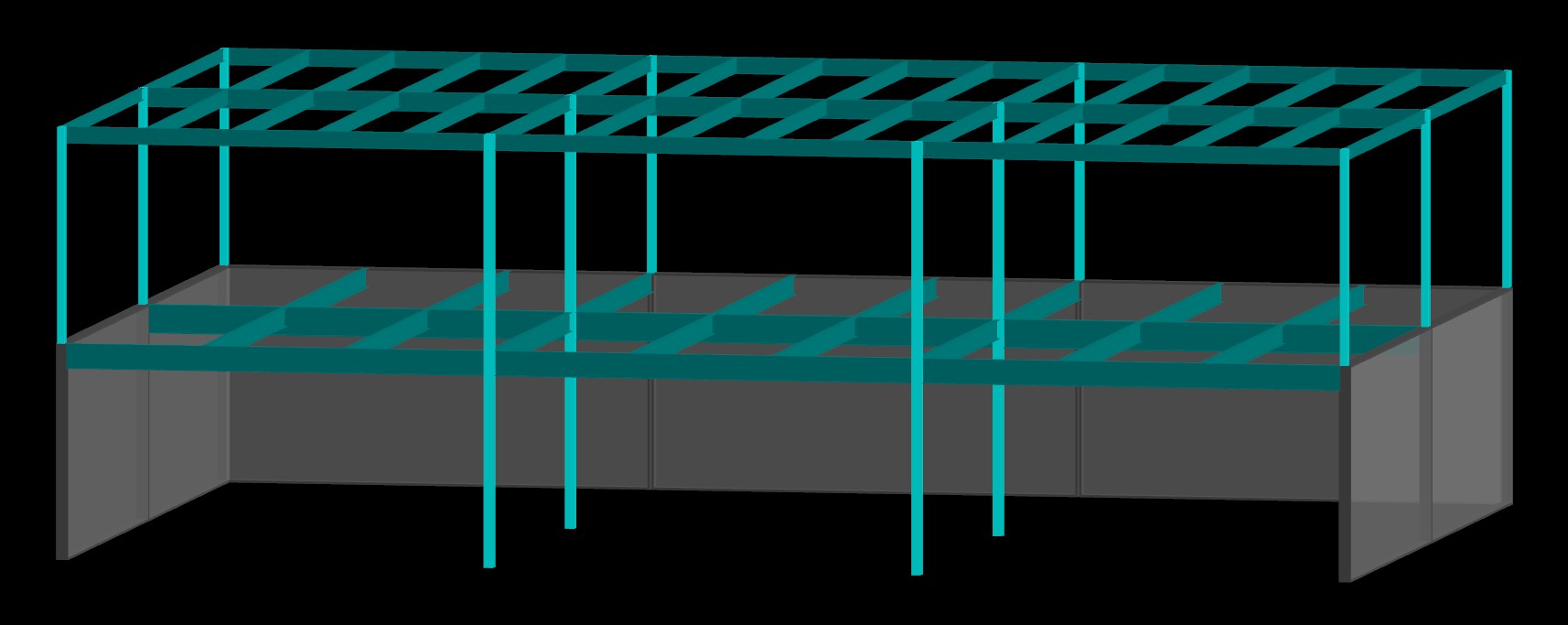
Take a look at this image of a model with 15' floor-to-floor heights. We've all had projects like this - basement walls on a couple sides and a framed floor 'on grade'. The design team (or owner) decides the on-grade floor will be defined as elevation 0.0'. If you just import the model, the framed second floor comes in at elevation +15'. When you cut sections, all of your elevations are incorrect. If you move everything down 15', you can't import again. The model gets reset back to match RAM.
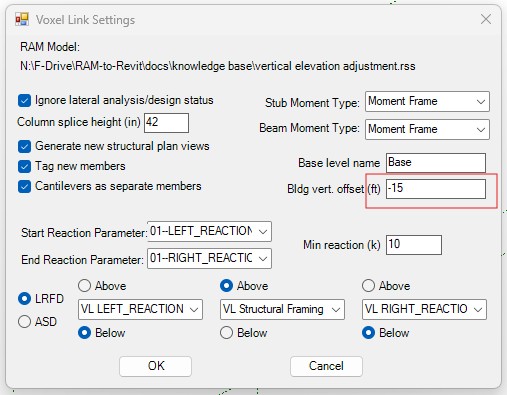
The vertical offset in the Voxel Link import settings dialog box solves this issue without having to do gymnastics in Revit. For the example above, you would set the vertical offset to -15'. Every Z elevation read from the RAM model has this offset value 'added' to it (in this case it's a deduct). Now when you look in Revit:
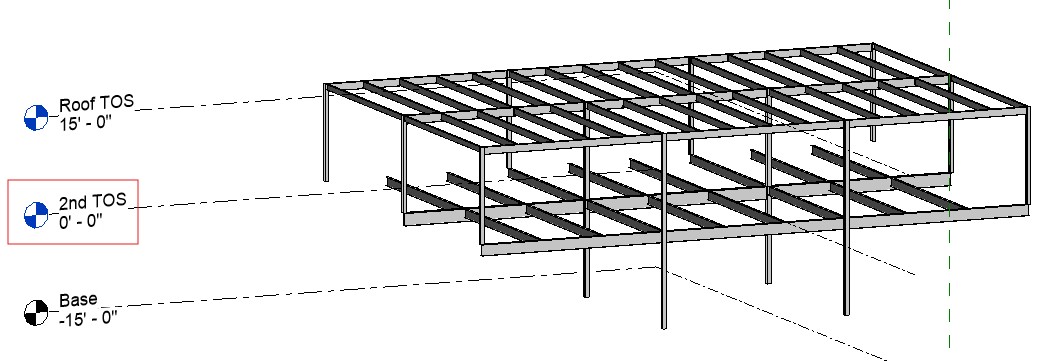
all of the levels have been shifted down by 15'.